Fujifilm Recipe Import Tips: Backing Up C1–C7, Naming Slots & Swapping Travel Recipe Sets
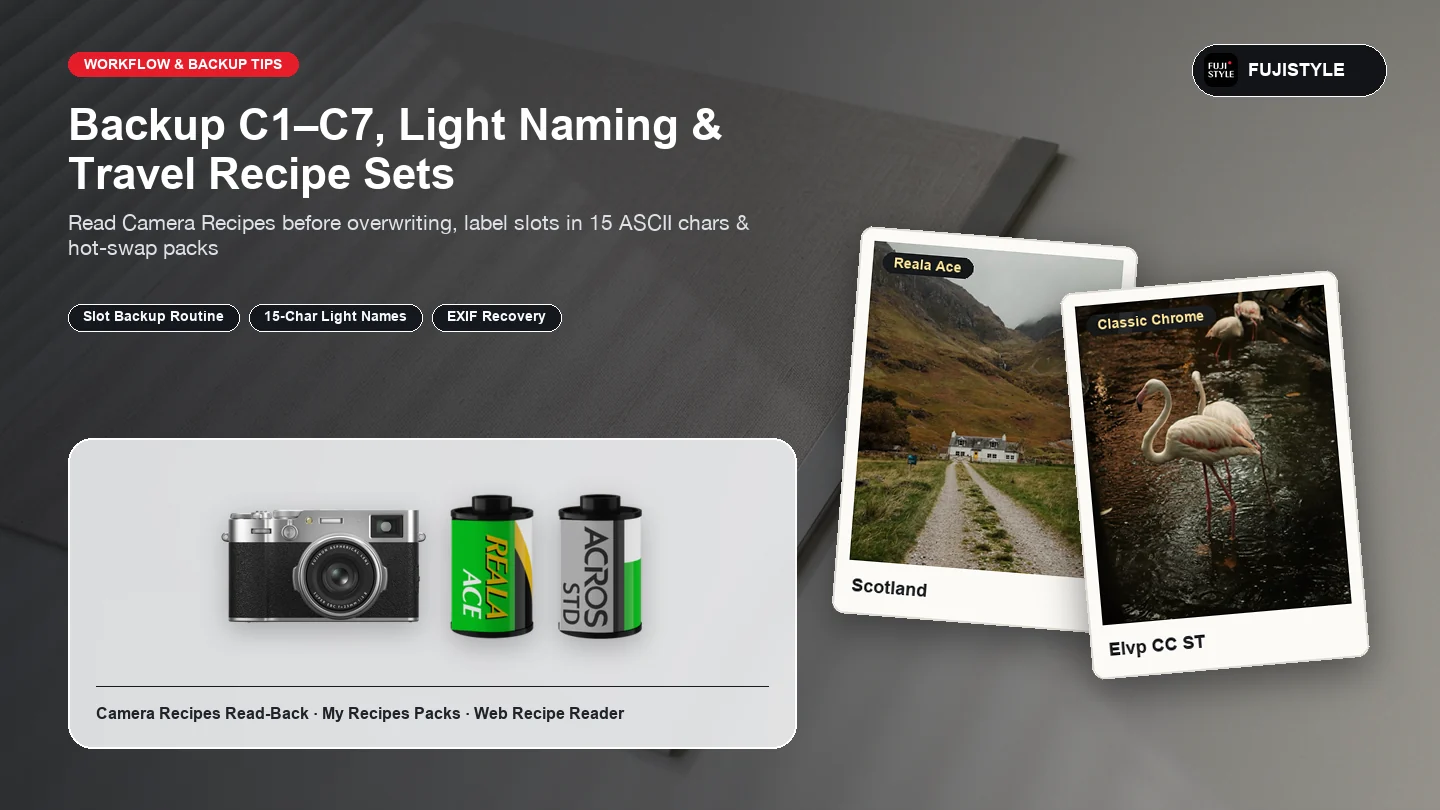
Importing your first film recipe takes thirty seconds; keeping seven custom slots organized so you never overwrite a favorite look — or freeze up choosing between redundant warm presets on the street — takes a repeatable system. The smartest Fujifilm workflow pairs lighting-based slot naming, pre-import slot backups, and themed Recipe Sets on your phone that you can swap in under a minute over Bluetooth or USB.
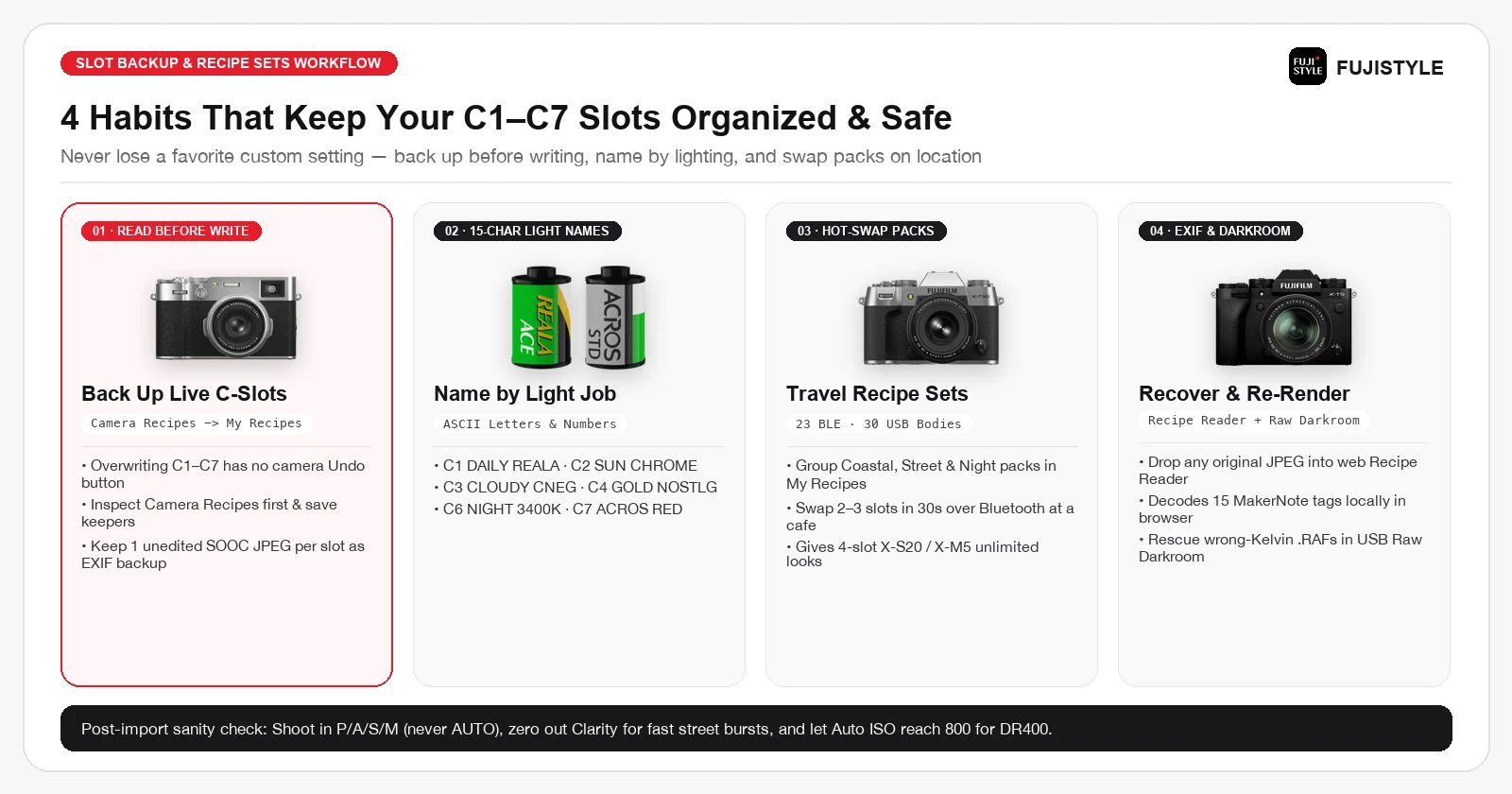 The four-part C1–C7 slot management system: read before writing, label by lighting job, hot-swap travel packs, and recover from SOOC JPEG EXIF.
This field guide distills practical habits learned across thousands of FujiStyle imports on 30 supported Fujifilm cameras. If you still need the basic connection steps first, start with our Bluetooth wireless import guide or USB-C cable import guide.
Key takeaways:
- Always read before writing: Inspect Camera Recipes and save keepers to My Recipes (or keep one SOOC JPEG per slot) before overwriting C1–C7.
- Name slots by light, not nostalgia: A 15-character ASCII name like
1-SUN-CHROMEor4-NIGHT-3400Kbeats cryptic film names when light changes mid-walk. - Swap packs on location: Group recipes into travel, street, or portrait sets in FujiStyle so even four-slot C1–C4 cameras have unlimited looks on tap.
- Audit Clarity & Auto ISO after import: Zero out Clarity on street slots to eliminate
Storing...lag, and verify DR400 slots can reach ISO 640/800.
Tip 1: Back up your existing C1–C7 slots before you overwrite anything
Writing a recipe to a custom slot replaces the image-quality parameters in that slot immediately — and Fujifilm camera firmware has no "Undo" button (see does importing overwrite custom settings). Before loading a fresh batch of community recipes:
- Inspect live slots in Camera Recipes: Connect over Bluetooth or USB in FujiStyle and open Camera Recipes to read back every slot currently stored on the body.
- Save keepers to My Recipes: If
C2holds a tweaked portrait recipe you spent months perfecting, save those parameters into My Recipes inside FujiStyle so you can re-import it anytime. - Keep a "Golden JPEG Archive" folder on your phone: Every unedited Fujifilm SOOC JPEG embeds its full recipe inside MakerNote EXIF tags. Shooting one test frame per slot — and keeping those seven JPEGs in a dedicated album — guarantees you can reconstruct any overwritten slot in seconds using the free FujiStyle Recipe Reader.
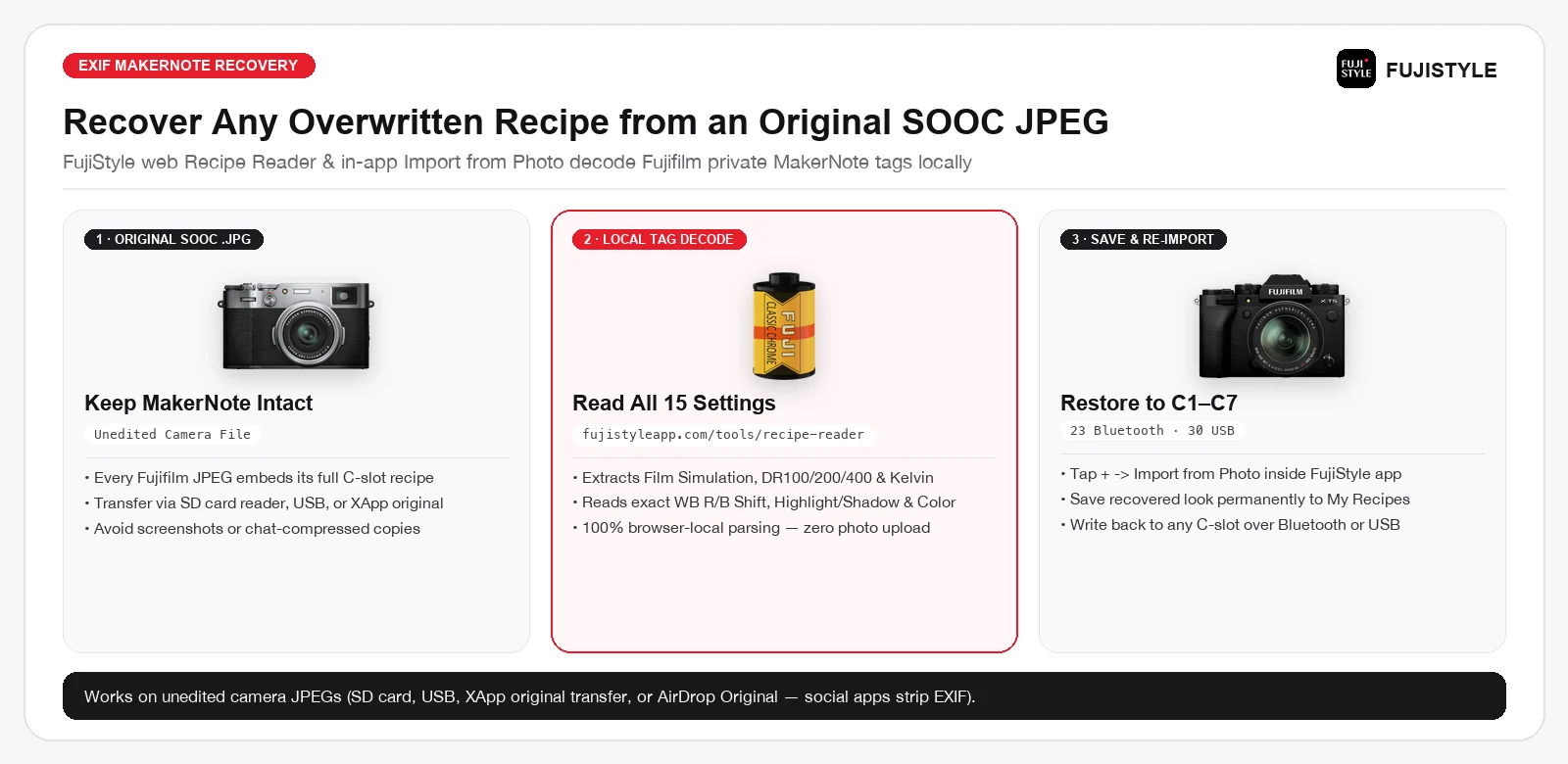 Even if you overwrite a slot by accident, any unedited SOOC JPEG shot with that slot holds all 15 recipe values inside its Fujifilm MakerNote tags.
Tip 2: Name slots by lighting condition (within the 15-character ASCII rule)
Fujifilm’s EDIT CUSTOM NAME field accepts up to 15 ASCII characters (A–Z, 0–9, spaces, and simple punctuation). Emoji and non-Latin characters are stripped or rejected during import. More importantly, naming seven slots after poetic film titles (GOLD DUST, SUMMER 76, NOSTALGIA) forces you to memorize which one uses Daylight WB and which one uses 3400K Tungsten.
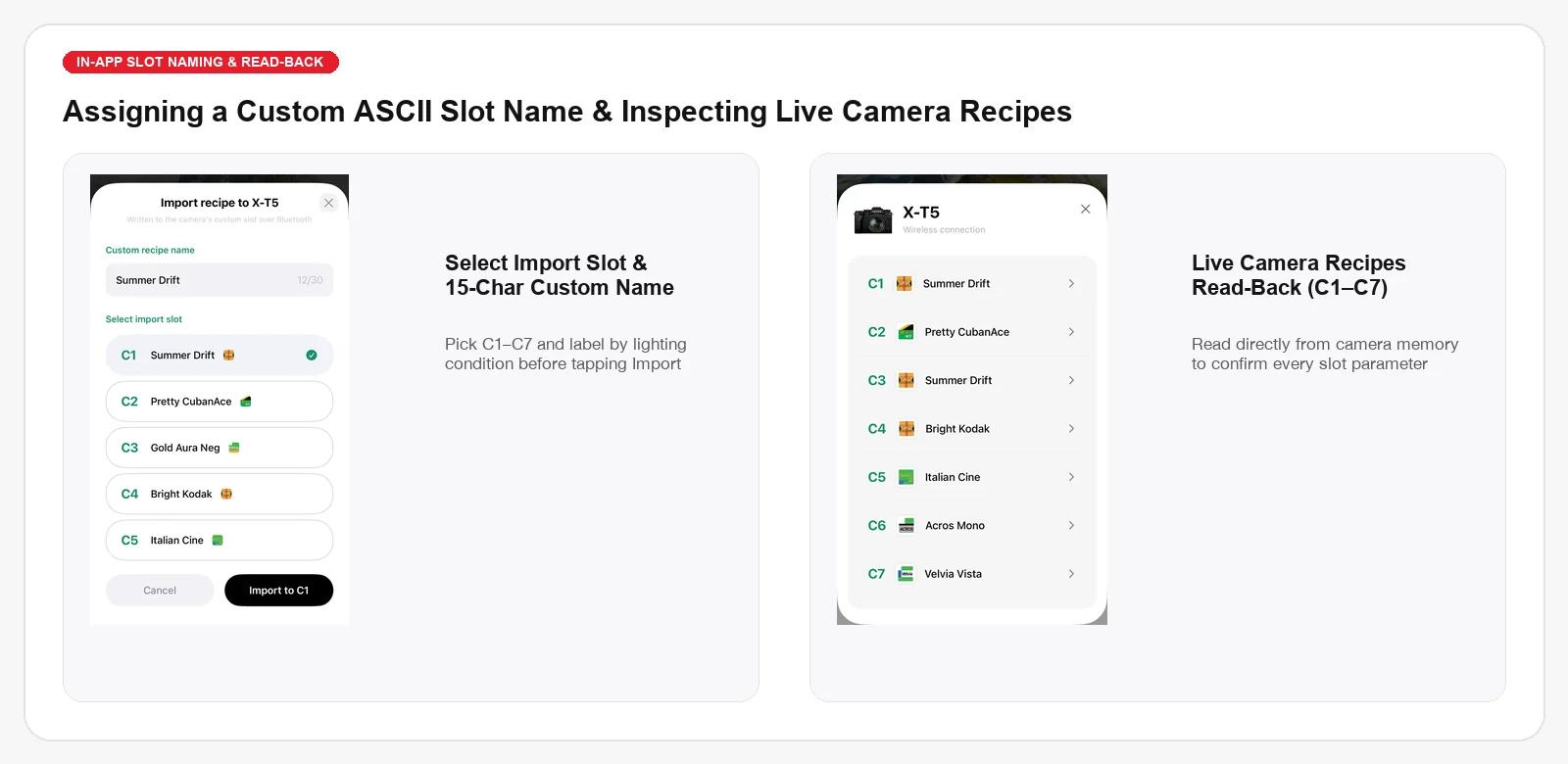 Assign a lighting-based English slot name during import, then verify every active slot on one screen inside Camera Recipes.
Instead, prefix each slot with its lighting job and base simulation:
| Slot | Lighting Role | Example 15-Char ASCII Name | Base Film Simulation | White Balance Strategy |
|---|---|---|---|---|
| C1 | All-around / Everyday | C1 DAILY REALA |
Reala Ace or Provia | Auto WB (small warm shift, e.g. R+1 B-2) |
| C2 | Hard Sun / Documentary | C2 SUN CHROME |
Classic Chrome | Daylight WB + DR400 to hold bright skies |
| C3 | Overcast / Street Contrast | C3 CLOUDY CNEG |
Classic Neg | Auto or Shade WB — punches up flat light |
| C4 | Golden Hour / Warm Print | C4 GOLD NOSTLG |
Nostalgic Neg or Astia | Auto WB or 5300K (gentle shift for skin) |
| C5 | Soft Portraits / Indoors | C5 SKIN PRONEG |
Pro Neg Std / Astia | Auto White Priority + Highlight -1, Shadow -1 |
| C6 | Blue Hour / Neon Night | C6 NIGHT 3400K |
Classic Neg / Eterna | Fixed 3200K–3600K Kelvin for cinestill cyan/halations |
| C7 | High-Contrast B&W | C7 ACROS RED |
Acros (+R or +Y) | Any WB (Grain Weak/Small, Shadow +2) |
On 4-slot mode-dial cameras (X-S20, X-S10, X-M5), condense this into C1 Daylight, C2 Overcast Street, C3 Night Tungsten, and C4 Acros B&W. On 6-slot GFX cameras (GFX guide), merge C4 and C5 into one portrait slot.
Tip 3: Build themed "Recipe Sets" and hot-swap on trips
Trying to cram seven variations of warm Kodak Gold into C1–C7 leaves you with nothing when rain rolls in or neon signs flick on after sunset. Treat your camera’s custom banks as active film magazines, and use My Recipes in FujiStyle as your dry cabinet:
- Urban & Street Pack: High-contrast Classic Neg, gritty Acros+R, muted Classic Chrome, and a 3400K neon night recipe.
- Coastal & Summer Pack: Bright Reala Ace, pastel Astia / Pro Neg Hi with Color Chrome FX Blue Strong for deep skies, and warm golden-hour Nostalgic Neg.
- Autumn & Woodland Pack: Deep amber Classic Chrome, rich Velvia / Nostalgic Neg foliage recipe, and soft Eterna mist look.
Because Bluetooth import on 23 supported bodies needs no cable (and USB-C import on 30 supported bodies takes five seconds per slot), you can load your Coastal Pack on the train to the beach and swap C3/C4 to night recipes over dinner without touching a camera menu.
Tip 4: Run a 30-second post-import sanity check
Community recipes are created by photographers shooting different lenses, frame rates, and subjects than yours. Right after FujiStyle confirms Recipe Transferred, check four things so a new preset never trips you up mid-shoot:
- Check Clarity for shutter lag: Many landscape creators publish recipes with
Clarity +3orClarity -4for misty halation. On X-Processor 4 and 5 cameras alike, non-zero Clarity adds a 1–2 secondStoring...pause after every frame. For street, kids, or travel, dial Clarity back to0in the Q menu — 95% of the color character comes from white balance shift and tone curves anyway. - Verify Dynamic Range vs ISO: A recipe calling for DR400 requires at least ISO 640 (X-Trans V HR) or ISO 800 (X-Trans IV). Make sure your Auto ISO bank allows ISO 800+, or the camera will silently drop back to DR100 and clip bright clouds.
- Check X-T3 / X-T30 shared WB shift: On the original X-T3 and X-T30, Fujifilm stores one white balance shift per white balance mode rather than per custom slot. Avoid putting two different
Daylightrecipes with conflicting R/B shifts on those two bodies at the same time; pair one withDaylightand the other withShadeor aCustom Kelvinvalue instead. - Confirm your exposure mode & Film Simulation dial: Custom slots apply in P, A, S, or M — never in
AUTOorSP. On X-T50, X-M5, and X-T30 III, verify the physical Film Simulation dial is set toCso it doesn’t override the simulation stored inside your slot.
Tip 5: Rescue or tweak slightly-off frames in Raw Darkroom
Even with well-organized slots, fixed-Kelvin recipes (5600K or 3400K) will eventually catch you under mixed indoor lighting. Shoot RAW + Fine JPEG whenever testing an unfamiliar recipe pack. If the framing is great but the JPEG cast went too green or orange, connect your camera over USB and open FujiStyle Raw Darkroom to re-render the .RAF file through your camera’s genuine Fujifilm processor using any other recipe in your library.
Example non-overlapping travel pair (Clarity 0, zero shutter lag)
Instead of stacking two similar sunny-day warm presets, pair an overcast daylight recipe with a quiet low-key Classic Chrome recipe — both run Clarity 0 so your camera never pauses between frames:
Slot A (Overcast & Landscapes): Scotland · Reala Ace
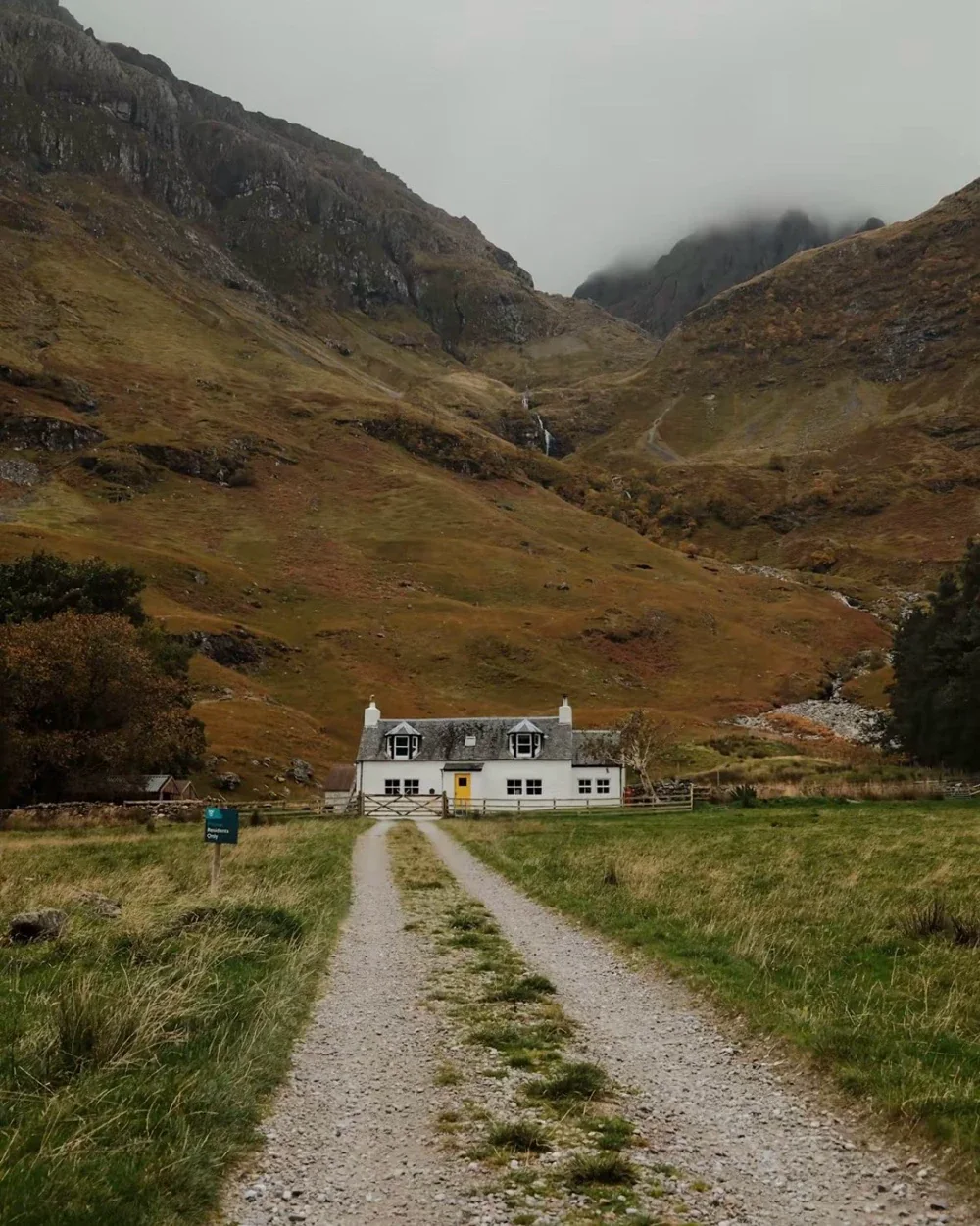 Scotland, shared on FujiStyle by emma (560+ likes — #1 most-liked 2026 overcast recipe).
| Setting | Value |
|---|---|
| Film Simulation | Reala Ace (X-Processor 5 / recent GFX) |
| White Balance | Daylight (R+3 / B-5) |
| Dynamic Range | Auto |
| Highlight / Shadow | -2 / +1 |
| Color / Sharpness / NR | +3 / -1 / -4 |
| Clarity | 0 |
| Grain / Color Chrome / FX Blue | Weak / Weak / Off |
Slot B (Low-Key & Quiet Light): Elvp CC ST 1.0 · Classic Chrome
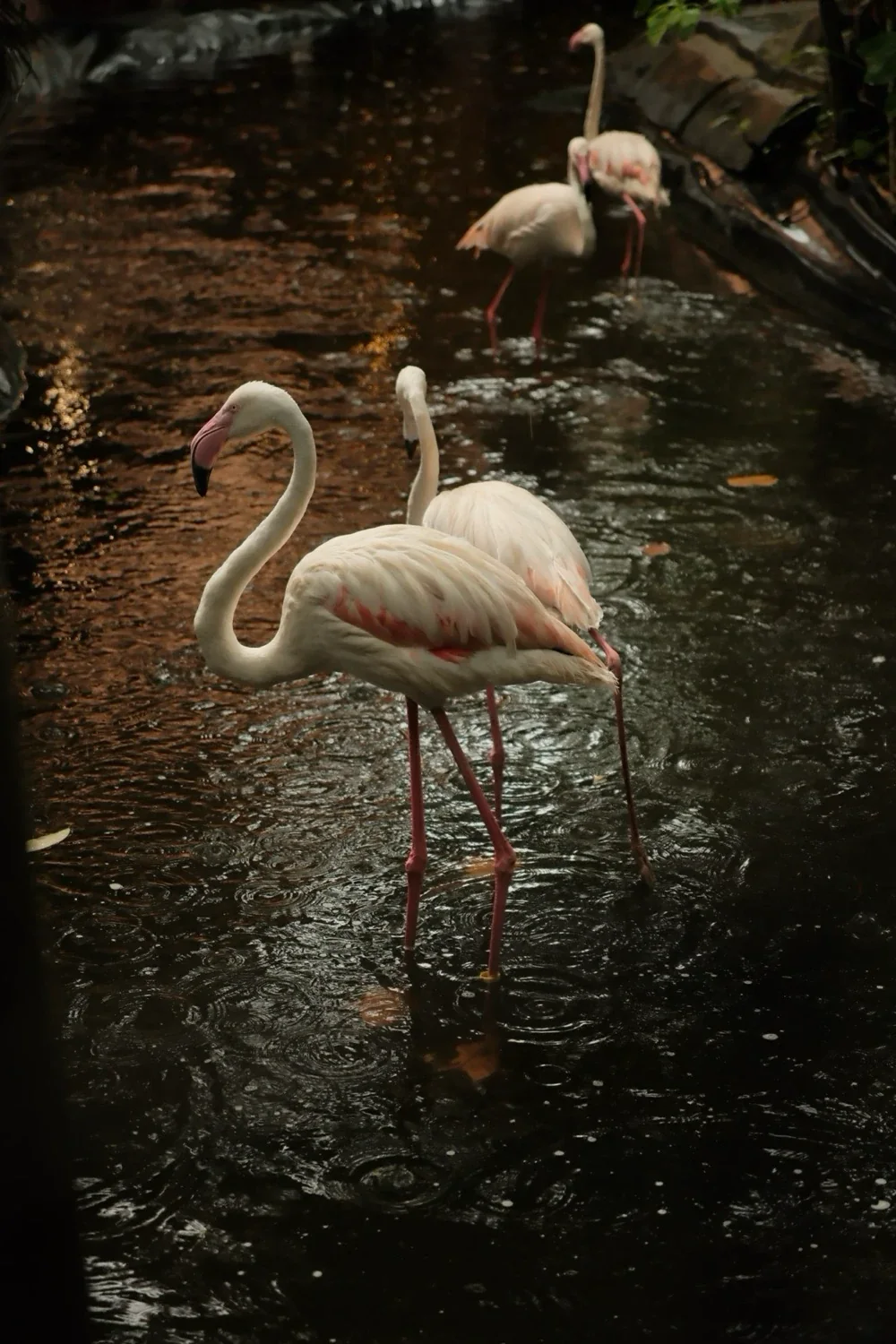 Elvp CC ST 1.0, shared on FujiStyle by ELVIN POON (389+ likes — soft
Highlight -2 / Shadow -2 curve for dim scenes).
| Setting | Value |
|---|---|
| Film Simulation | Classic Chrome (All X-Trans III/IV/V & GFX) |
| White Balance | 5600K (R+3 / B-4) |
| Dynamic Range | DR400 |
| Highlight / Shadow | -2 / -2 |
| Color / Sharpness / NR | 0 / -1 / -4 |
| Clarity | 0 |
| Grain / Color Chrome / FX Blue | Off / Weak / Weak |
Frequently asked questions
How do I back up my existing C1–C7 custom settings before importing new Fujifilm recipes?
Connect your camera in FujiStyle over Bluetooth or USB and open Camera Recipes to inspect what is currently stored in every custom slot before writing. Save any custom recipe you want to keep into My Recipes (or shoot a reference JPEG so its parameters stay embedded in EXIF) before importing into that slot, because overwriting a slot has no undo button on the camera.
What is the character limit for custom recipe names on Fujifilm cameras?
Most Fujifilm X-Series and GFX bodies allow up to 15 ASCII characters (letters, numbers, spaces, and basic hyphens) per custom slot name. Emoji, accented characters, and CJK characters are rejected or stripped by the camera firmware. On GFX100S II over Bluetooth, slot names remain read-only and can be edited inside EDIT/SAVE CUSTOM SETTING on the camera.
How should I organize 4 to 7 custom slots so I pick the right recipe fast?
Organize slots by lighting condition rather than by film stock trivia: dedicate Slot 1 to bright daylight (Classic Chrome or Reala Ace), Slot 2 to overcast or flat shade (Classic Neg), Slot 3 to warm golden hour or portraits (Nostalgic Neg or Pro Neg Std), Slot 4 to tungsten/neon night scenes (cool white balance around 3200K–3800K), and Slot 5 to high-contrast monochrome (Acros).
Can I recover a Fujifilm recipe if I accidentally overwrote a C1–C7 slot?
Yes, as long as you still have at least one unedited Straight-Out-Of-Camera (SOOC) JPEG shot with that slot. Drop the original JPEG into the free FujiStyle Recipe Reader web tool (or inspect it inside the FujiStyle app) to extract the exact Film Simulation, Dynamic Range, White Balance Kelvin/Shift, Tone Curve, Color, Grain, and Color Chrome values from Fujifilm MakerNote EXIF.
Why do my photos still pause for 1.5 seconds between shots after importing a community recipe?
Check the Clarity parameter in that slot. Any non-zero Clarity setting (+1 to +5 or -1 to -5) forces the camera processor to buffer and process each JPEG after the shutter closes, adding roughly 1 to 2 seconds of Storing... blackout and disabling continuous bursts. Set Clarity to 0 on street or action slots.
How can I carry more than 7 recipes on a trip without entering settings by hand?
Save themed groups of recipes into My Recipes inside FujiStyle — for example a Coastal Daylight Pack, a Tokyo Night Pack, and a B&W Documentary Pack. On any of the 23 Bluetooth-enabled bodies (or with a pocket USB-C cable on 30 USB bodies), you can swap two or three slots in under a minute from your hotel or coffee stop.

Import to Camera
Use the FujiStyle App to apply recipes to your Fujifilm camera.