Fujifilm Custom Settings: What C1–C7 Hold, Split by Light
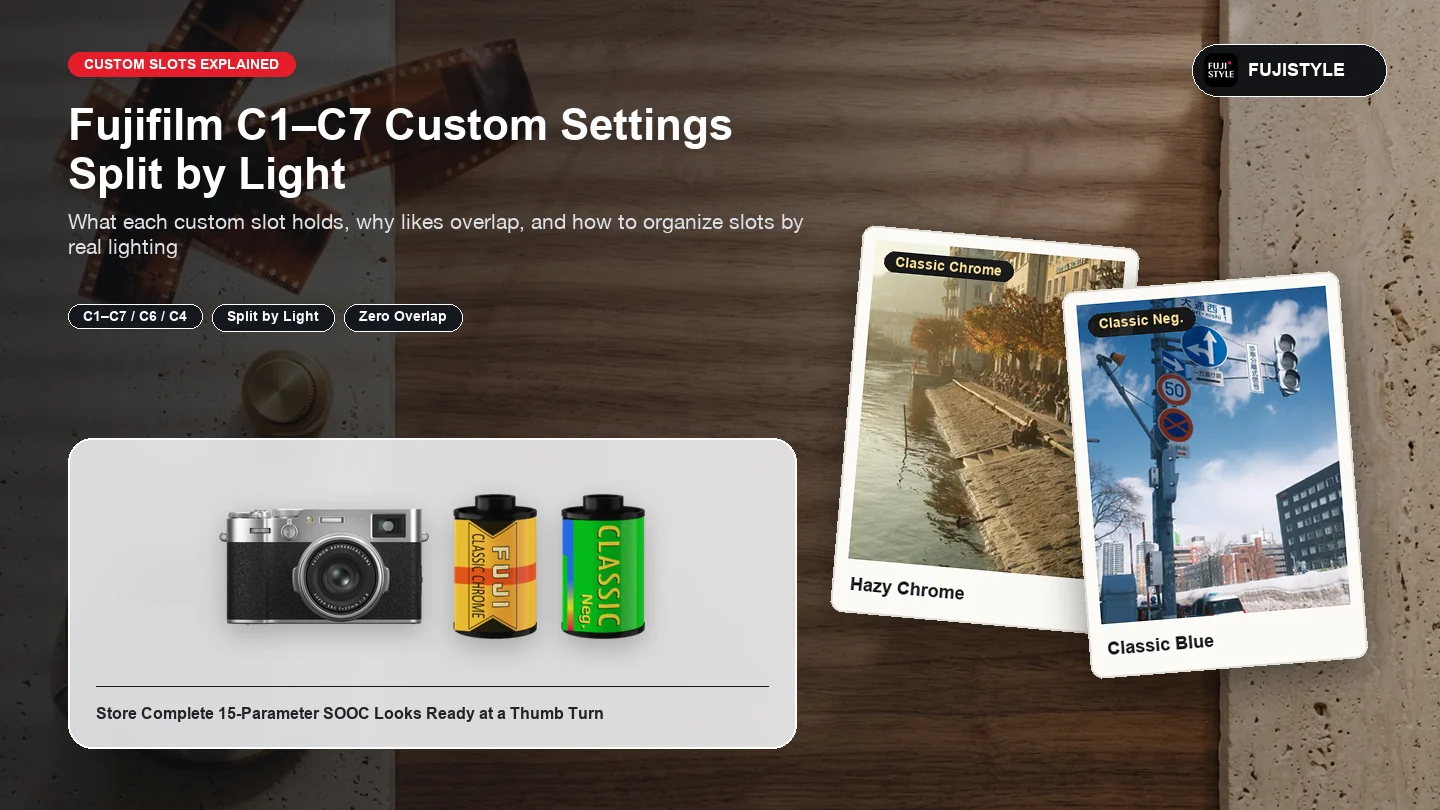
People new to recipes often ask a very practical question: "Can I store several sets of these settings in the camera and just pick one each time, instead of adjusting everything from scratch?" Yes. That's exactly what Fujifilm custom settings (labeled C1, C2 and so on up to C7 in the menu) are for: you store a complete set of straight-out-of-camera settings in the camera, and the next time you select that slot, every shot comes out in that color.
Some readers may disagree with this guide's position: split C1–C7 by the kinds of light you'll meet on this trip, not by filling them in order of likes. Take the seven most-liked X100VI recipes in the FujiStyle community, put them into the seven slots in rank order, and count: the seven slots cover only about four kinds of light.
Here's what this guide covers: what one slot holds, what happens in the camera when you write to it, which bodies have fewer than seven slots, how to split seven slots by light, and the common reasons a saved slot doesn't seem to take effect. The step-by-step for entering settings in the menu is in how to add recipes to a Fujifilm camera; overwriting and backups have their own guide, Does importing a Fujifilm recipe overwrite custom settings.
What Fujifilm custom settings store: a full set of settings, not a photo
First, a definition you can take away on its own: Fujifilm's C1–C7 custom settings are save slots in the camera. Each slot stores a full set of JPEG image settings (film simulation, white balance and WB Shift, Dynamic Range, Highlight / Shadow, Color, Sharpness, noise reduction, grain, Color Chrome and so on), not just the name of a filter. On newer bodies a slot can also carry some focus and shooting settings, and a C position on a mode dial can also store the exposure mode; check your manual. How many slots there are depends on the body; not every Fujifilm has seven.
So a "recipe" and a "C slot" are two different things: a recipe is a set of settings (see What are Fujifilm recipes), and a C slot is the place in the camera where a recipe goes. Take Hazy Chrome, which comes up again later: what one slot holds is this whole table, not the single word "Classic Chrome."
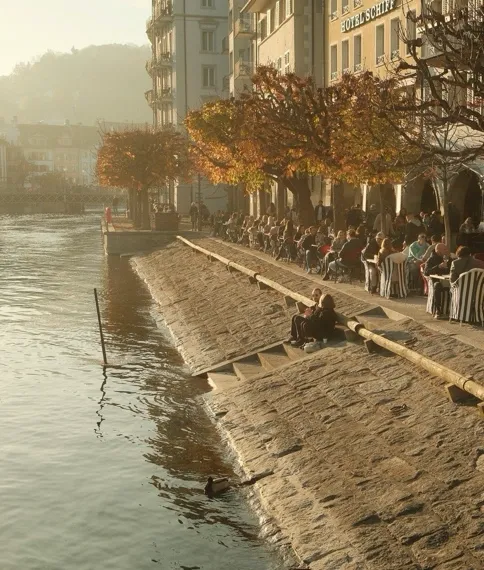 Hazy Chrome, shared on FujiStyle by Udo Wuerth.
| Setting | Value |
|---|---|
| Film Simulation | Classic Chrome |
| White Balance | Daylight |
| WB Shift | R+4 / B-7 |
| Dynamic Range | DR400 |
| Highlight | -2 |
| Shadow | -1.5 |
| Color | +2 |
| Sharpness | 0 |
| High ISO NR | 0 |
| Clarity | -3 |
| Grain Effect | Weak / Small |
| Color Chrome Effect | Off |
| Color Chrome FX Blue | Off |
| Exposure Compensation | 0 |
| ISO | — |
Keep Classic Chrome but change the WB Shift and Highlight lines, and you have another slot and a different color. That's also why I don't like calling a C slot a "filter slot": a filter is laid over a photo, while a C slot is how the camera processes the image, decided before you press the shutter.
That sets two boundaries. First, a C slot only decides the JPEGs you shoot from now on; photos already taken don't change, and RAF files aren't reprocessed by it. Second, what a slot stores is settings, not a result: the same slot gives very different pictures under harsh midday sun and in overcast shade, because it has no control over the light. The whole idea of splitting slots by light, later in this guide, comes from that second point.
What happens in the camera when you write to a slot
Whether you change items one by one in the menu or write with an app, the camera ends up doing the same thing: the dozen or so settings in that slot are replaced as a group. From the development side, a few things are worth knowing up front:
| When you write | What actually happens |
|---|---|
| You write to C3 | Only C3 changes; the other slots stay as they were. C3's previous set is overwritten, with no undo |
| The body has only four slots | You can write C1–C4, and the app can only write that many; it can't create extra slots |
| The recipe uses a simulation the body doesn't have (such as Reala Ace or Nostalgic Neg.) | A film simulation your camera doesn't have can't be written in, and it won't be swapped for a different one; check that your camera's menu has that simulation before you write |
| You want to confirm it worked | Tap Camera Recipes in FujiStyle to see what each slot on the camera holds right now |
| The slot you wrote doesn't change your photos | Usually not a writing problem but the shooting mode or a dial; see "Saved it, so why do photos look the same?" below |
Putting one recipe into one slot isn't the hard part. The hard part is something else: many people fill their slots with recipes that are too alike, and then on location they don't know which one to switch to. The paper exercise below puts that problem on the table.
How many recipes can a Fujifilm store: not every body has C1–C7
"Every Fujifilm has C1 to C7" is the most common misconception here; the number of custom slots goes with the body. Most recent X-T, X-Pro and X100 bodies do have seven, but some have four or six. The table below follows the camera table in the FujiStyle app, not Fujifilm's official specifications, so check your own camera's menu before writing recipes:
| Body | Slots in the app's camera table | Before you write |
|---|---|---|
| X100VI, X100V, X-T5, X-T4, X-Pro3, X-H2 / X-H2S and others | C1–C7 | Check once in the menu |
| X-S20, X-S10 | C1–C4 | Count the positions on your body first; don't assume seven (X-S20 film simulations) |
| Some GFX bodies, such as the GFX100 II and GFX100S | C1–C6 (the GFX100RF is C1–C7 in the table; GFX bodies vary a lot) | Go by the menu |
| X-M5, X-E5, X-T30 III | The X-M5 is C1–C4 in the app; the X-E5 and X-T30 III are C1–C7 in the app | Go by the menu |
| Bodies with a film simulation dial, such as the X-T50 | C1–C7 in the table, but what matters isn't the count, it's whether the dial or the slot takes priority; the same goes for the X-M5, X-T30 III and other bodies with that dial | Check the manual (X-T50 recipes and the film simulation dial) |
So "how many recipes can a Fujifilm store?" has a simple in-camera answer: the number of slots, most commonly seven, six or four; a few early or entry-level bodies differ, and some have no custom slots at all, so go by the menu. You can keep as many recipes as you like on your phone, in notes or in an app, but only the ones in the slots are ready to shoot. The fewer slots you have, the more the light-based split below matters.
A paper exercise on the X100VI: filling seven custom slots by likes
Take the seven most-liked recipes in the FujiStyle community tagged X100VI, and put them into C1–C7 in order of likes (as of October 2026):
| Slot | Recipe | Author or sharer | Likes | Film Simulation | WB Shift | Dynamic Range |
|---|---|---|---|---|---|---|
| C1 | Clockwise Negative | clockwise_yvr (author) | 978 | Classic Neg. | R+1 / B-3 | DR400 |
| C2 | Gold Aura Neg (v2) | ap.vzn | 919 | Nostalgic Neg. | R-4 / B-2 | DR400 |
| C3 | Coastal Chrome | ramblinreiss | 605 | Classic Chrome | R+4 / B-5 | Auto |
| C4 | GT01 | Cccccccccial sonthaya | 360 | Classic Chrome | R+3 / B-2 | DR200 |
| C5 | Classic Blue | Shareal_willie | 306 | Classic Neg. | R-2 / B+2 | DR100 |
| C6 | Hazy Chrome | Udo Wuerth | 275 | Classic Chrome | R+4 / B-7 | DR400 |
| C7 | Classic Blue (card name: CLASSIC BLUE) | Patipat.J | 209 | Classic Neg. | R-2 / B+2 | DR400 |
These seven don't all share one flavor: Classic Blue is cool, and Hazy Chrome goes for soft, hazy highlights. But count the settings and the overlap is obvious. Three of the seven slots are Classic Neg., three are Classic Chrome and one is Nostalgic Neg.; five of the seven have a negative B value, all pushing toward yellow. Most samples for Coastal Chrome, Gold Aura Neg (v2), Hazy Chrome and GT01 are in warm evening light or sunshine. Seven slots, covering perhaps three or four kinds of light in practice, with several slots repeating the same answer to "warm, sunny day."
That isn't a fault of these recipes. It's a bias in "likes" as a measure. The photos people like most tend to be travel, seaside and golden-hour shots, so a most-liked list reflects the light the community shoots in most, not the light you'll meet tomorrow.
There's one more duplicate you can spot from the names alone: C5 (Shareal_willie's Classic Blue) and C7 (Patipat.J's CLASSIC BLUE) differ by a single line, one DR100 and one DR400. Store both in the camera and you're using two slots for the same color.
No black and white among the most-liked: what that tells you
None of the seven is black and white. The easy conclusion is "so keep one slot for black and white." I don't see it that way. The gap shows that likes lean toward color and good weather; it doesn't show that you need black and white. Whether black and white deserves a slot depends on whether this trip will put you in light that color can't carry: wide, flat overcast light, messy mixed light indoors, a midday street where the sun washes color out. If you'll meet that, black and white is one way to answer it; if you never shoot black and white, that slot just sits empty.
Decision table: list this trip's light first, then decide how many slots it gets
The more useful approach works backward: write down the kinds of light you'll probably meet on this trip, pick a type of recipe for each, and only then assign slot numbers. Slot numbers mean nothing in themselves; what goes in C1 or C5 is just whatever is easiest for you to dial to. The table below is ordered by light, and every example comes from the same batch of X100VI community recipes, with settings exactly as on the card:
| The light problem | Recipe type that suits it (which settings to look at) | Community example (sharer) | Key settings | It doesn't suit |
|---|---|---|---|---|
| Sunny, front-lit, with plenty of light and color | Moderate Color, highlights pulled down a little, no extra warmth | Clockwise Negative (clockwise_yvr) | Classic Neg., DR400, Color +4 | Close-up portraits at midday; Color +4 makes skin tones heavy |
| Backlight, haze, water, a big area of highlights in the frame | DR400 with negative Highlight, Clarity turned down | Hazy Chrome (Udo Wuerth) | DR400, Highlight -2, Clarity -3 | Architecture you want crisp; it will look flat |
| Low, warm evening light | A simulation that's warm to begin with, without pushing white balance much further toward yellow | Gold Aura Neg (v2) (ap.vzn) | Nostalgic Neg., White Balance Fluorescent 1 | Can't be written to bodies without Nostalgic Neg.; goes yellow in neutral light |
| Street walks, pastel and matte buildings | Negative Highlight and Shadow to flatten contrast, grain for a film feel | Tokyo Colors (Mayrongr) | Provia/Standard, DR400, Highlight -2 / Shadow -2, Clarity -3 | Documentary close-ups that need crisp sharpness |
| Cold days, snow, blue hour | WB Shift toward blue, FX Blue turned up | Classic Blue (Shareal_willie) | WB Shift R-2 / B+2, Color Chrome FX Blue Strong | Portraits in warm indoor light; faces turn bluish |
| Flat overcast light where color can't carry the picture | Black and white, or color with low Color | None in this batch of most-liked X100VI recipes; pick one yourself in the community | — | Scenes where color is the subject |
| Light you can't call yet, or a recipe you want to try | Not fixed | Whatever you want to try this trip; swap it out afterward | — | — |
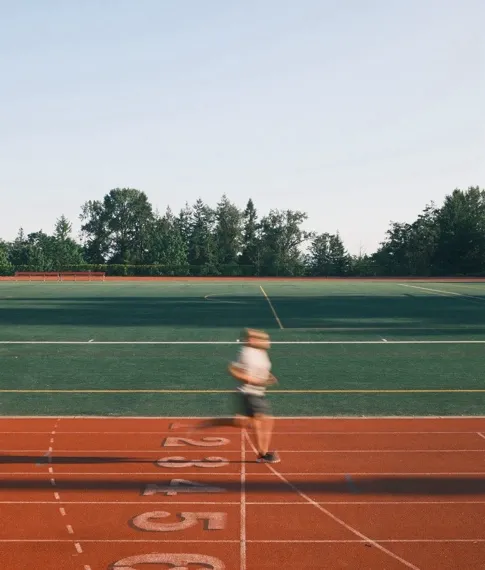 Clockwise Negative by clockwise_yvr.
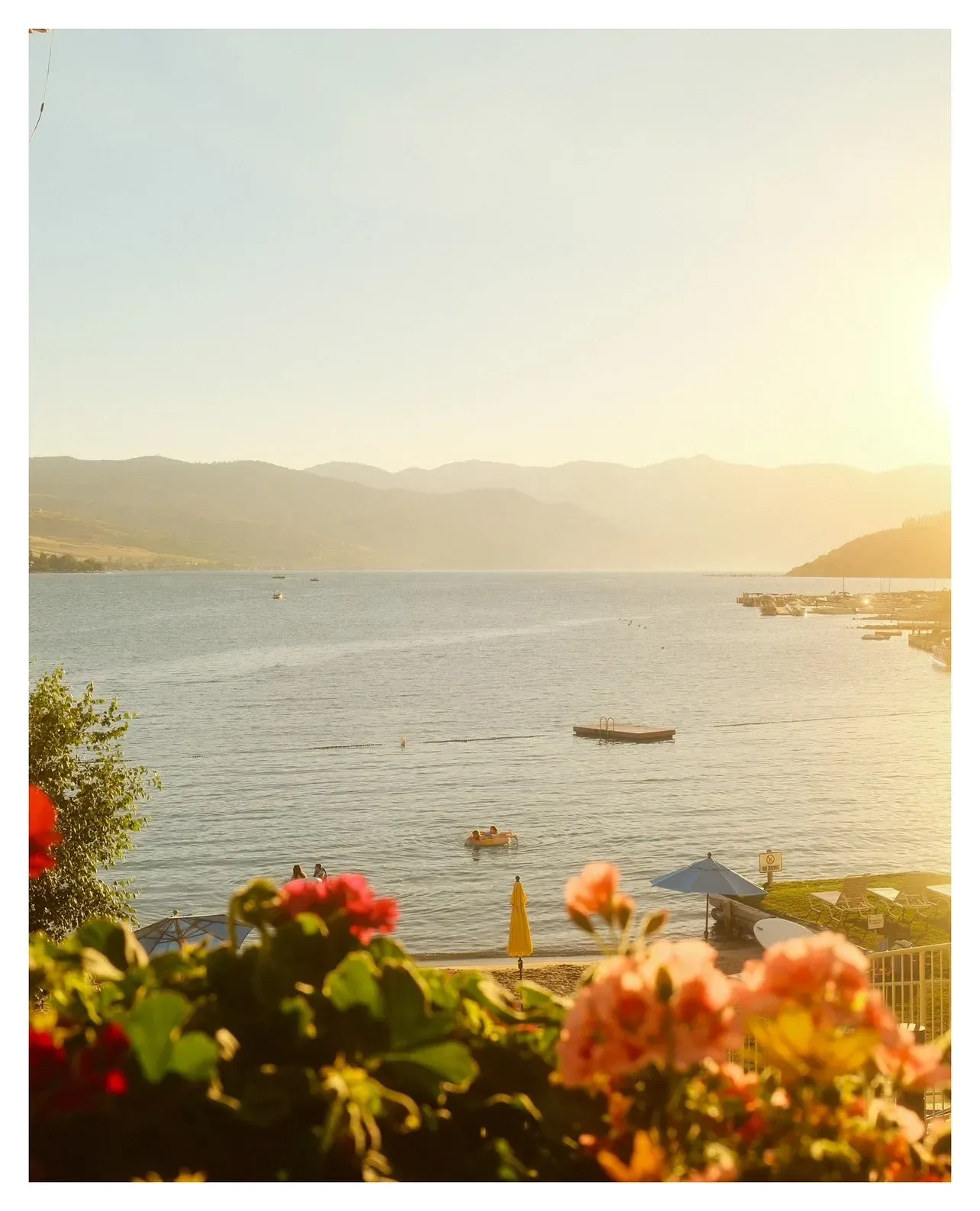 Gold Aura Neg (v2), shared on FujiStyle by ap.vzn.
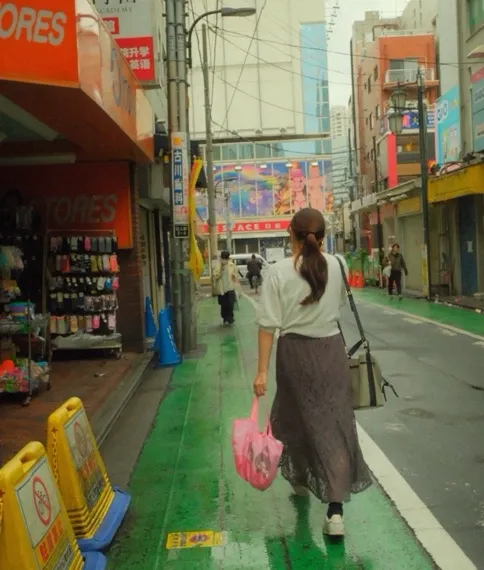 Tokyo Colors, shared on FujiStyle by Mayrongr.
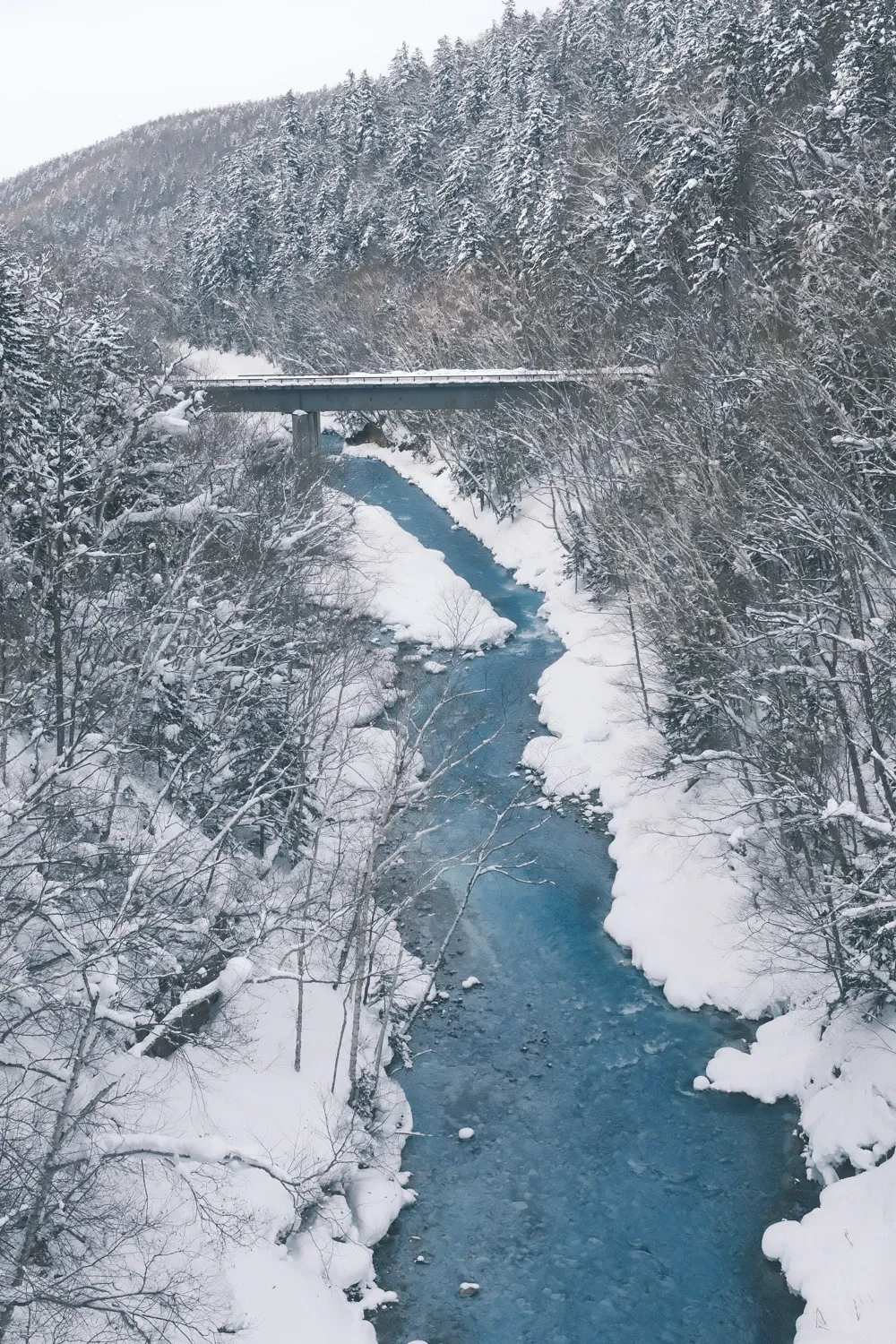 Classic Blue, shared on FujiStyle by Shareal_willie.
The table has seven rows, but not every trip needs all seven. When it's time to assign slot numbers, three rules help:
- If two recipes answer the same row, keep one. Coastal Chrome and Gold Aura Neg (v2) both answer "warm evening light." You might keep Gold Aura, at the cost of switching back to Coastal Chrome on a body without Nostalgic Neg. Shareal_willie's Classic Blue and Patipat.J's CLASSIC BLUE are both R-2 / B+2, two answers to the same row. GT01 looks lovely on the warm yellow of forests and mountains, but it overlaps with the sunny row. None of them is worse; they just don't have a row of their own to answer.
- Leave the row empty for light you won't meet on this trip, and give that slot to something you want to try. A week on an island probably won't need the snow and cold-weather row.
- When you're short of slots, merge neighboring rows. A four-slot body can compress the table to: sunny, lots of highlights, soft street haze, and light that color can't carry.
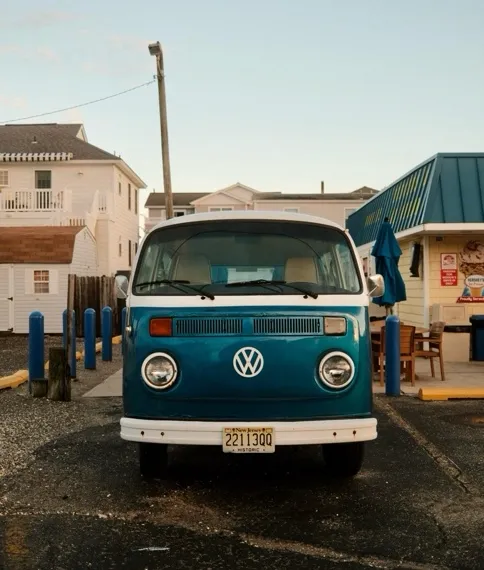 Coastal Chrome, shared on FujiStyle by ramblinreiss.
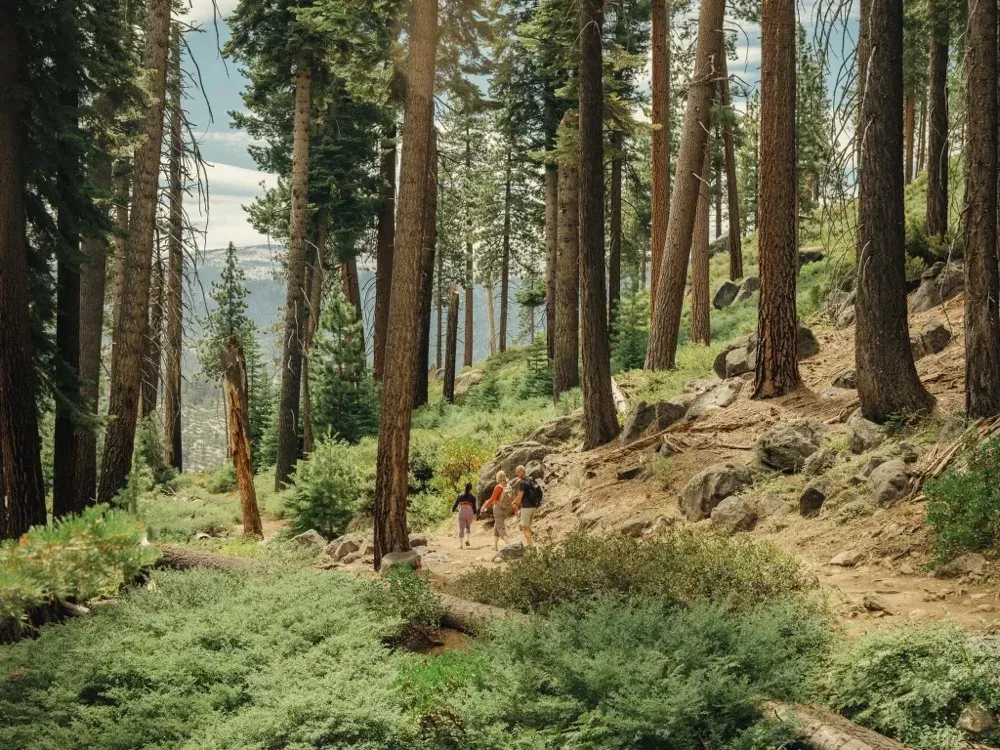 GT01, shared on FujiStyle by Cccccccccial sonthaya.
Once you've split them, compare the result with the likes-based table from earlier, and the difference is obvious at a glance:
| Filled by likes | Split by light | |
|---|---|---|
| Sunny, front-lit | Clockwise Negative, GT01 | Clockwise Negative |
| Backlight, haze, water | Hazy Chrome | Hazy Chrome |
| Warm evening light | Gold Aura Neg (v2), Coastal Chrome | Gold Aura Neg (v2) (Coastal Chrome on bodies without Nostalgic Neg.) |
| Pastel, hazy streets | — | Tokyo Colors |
| Cold days, snow | Classic Blue, CLASSIC BLUE | Classic Blue |
| Flat overcast light | — | Kept for a black-and-white or low-Color recipe |
| Trying new recipes | — | One slot left open |
There are no slot numbers here, because they don't matter. If you want to copy it directly, fill the right-hand column in whatever order is easiest for you to dial to; the key settings are in the decision table above.
Split this way, most of your photos will probably still come from two or three slots. The others earn their place when the light changes: rain, backlight, nightfall, and a ready-made slot to switch to.
Objection one: seven isn't nearly enough
That objection has a point. People shooting commissioned work who need a fixed look for each client, or who have to match color across two bodies, really are squeezed by seven; people on four-slot bodies have even more reason to complain.
My view: the part that doesn't fit shouldn't be solved inside the camera. You can store as many recipes as you like, in FujiStyle's My Recipes or in a note on your phone; keep only what this trip needs in the camera, and swap from your phone when the trip changes. Choosing one of seven by the roadside already takes a moment's thought; with fourteen, you'd probably miss the shot.
Objection two: sometimes filling by likes is right
I have to grant this one. If a trip has only one kind of light, say a week of sunny beaches, splitting by light leaves half the slots idle. In that case, putting two or three different recipes into the sunny row, to compare, is more useful than forcing a snow slot. Splitting by light is for when the light changes; when the light never changes, it doesn't buy you much.
Saved it, so why do photos look the same?
This is one of the most common questions in the community. The usual causes:
- The wrong shooting mode. There are two kinds of body here. On bodies with C positions on the mode dial (X-S10, X-S20, X-M5 and others), turn the dial to the matching C position; that position carries its own exposure mode, and on AUTO or SP the C settings aren't used. On bodies where you select the slot in the menu or Q menu (X100VI, X-T5 and others), select the slot first, then shoot in P / A / S / M. Check your manual for details.
- Changed but not saved. If you edit a slot's settings in the camera, for example switching the film simulation from Classic Neg. to Classic Chrome, confirm the save the way your manual describes before leaving the menu, or the change may be lost. The exact button differs by body; check the manual.
- The film simulation dial and the slot disagree. On bodies with a film simulation dial, such as the X-T50, whether the dial position or the slot's film simulation wins depends on the manual. The same applies to the X-M5, X-T30 III and other bodies with that dial. Many complaints that "the C slot does nothing" are really the dial at work.
- The camera doesn't have that simulation. A film simulation your camera doesn't have can't be written in, and it won't be swapped for a different one; check that your camera's menu has that simulation before you write. Reala Ace and Nostalgic Neg. can't be written to bodies that lack them, as the writing table above notes.
Back to the start: which kinds of light seven slots should answer
The opening claim needs one correction. Splitting by light isn't a rule. It's most useful on trips where the light changes, and much less useful when one kind of light lasts the whole time. Either way, though, the question C1–C7 should answer isn't "which seven recipes are best" but "which kinds of light will this trip bring." Before you head out, write down the left-hand column of the decision table, then go to the community to pick recipes.
Frequently asked questions
What are C1–C7 on a Fujifilm camera?
C1–C7 are Fujifilm's custom settings slots. Each slot stores a full set of JPEG image settings, and whichever slot you select is what straight-out-of-camera JPEGs use from then on; it isn't a filter, and it doesn't change photos already taken. How many slots there are depends on the camera; not every camera has seven.
How many recipes can you store on a Fujifilm camera?
The number of recipes you can call up at any moment equals the camera's number of custom slots, and that varies by body: most recent X-T, X-Pro and X100 bodies have seven, C1–C7; the X-S20, X-S10 and X-M5 have four, C1–C4, in the app; some GFX bodies have six. Check your camera's menu. Outside the slots there's no limit to how many you keep on your phone or in notes, but you have to swap one into the camera before you can shoot with it.
How many recipes can you store on the X100V?
In the app's camera table the X100V has seven slots, C1–C7, so it can hold seven recipes at once; check your camera's menu. The X100VI also has seven.
Do all Fujifilm cameras have seven custom slots?
No. The X-S20, X-S10 and X-M5 have C1–C4 in the app, some GFX bodies have C1–C6, and the X-E5 and X-T30 III have C1–C7 in the app; in every case, go by the menu. Count the slots in your camera's menu before writing recipes.
How do I save custom settings on a Fujifilm camera?
There are two ways, with the same result: edit each setting of C1 in the camera menu and save it as the manual describes, or use FujiStyle to write a whole recipe into C1 from your phone in one go. Either way, it overwrites what C1 held before. For the steps, see our guide to adding recipes to a Fujifilm camera; for what to check before overwriting, see our guide on whether importing a recipe overwrites custom settings.
Why do my photos look the same after I select a custom slot?
The most common cause is the shooting mode. On cameras with C positions on the mode dial (X-S10, X-S20, X-M5 and others), turn the dial to that C position; on AUTO or SP the C settings aren't used. On cameras where you pick the slot in the menu (X100VI, X-T5 and others), select the slot first, then shoot in P / A / S / M. The next most common causes are changing settings in the camera without saving them, or the film simulation dial taking effect; for whether the dial or the slot takes priority, go by the manual.
About the photos in this guide
Every sample here comes from FujiStyle community recipes tagged X100VI: Clockwise Negative by clockwise_yvr, who made this recipe and agreed to have it shared, so it's credited by name with a link to the original post; and Gold Aura Neg (v2) from ap.vzn, Coastal Chrome from ramblinreiss, Tokyo Colors from Mayrongr, GT01 from Cccccccccial sonthaya, Classic Blue from Shareal_willie and Hazy Chrome from Udo Wuerth, each credited to the person who shared the card.
They were chosen partly because they're well liked and partly because their light is far apart: backlight through haze, sunset over a lake, a pastel shopping street, a snowy valley. That spread lines up with different rows of the decision table. Settings are listed exactly as on the cards; open the cards to see more photos. If you have your own way of splitting slots, by light or by subject, share it with the community.
For the cards credited to a sharer, each name is the person who shared the card on FujiStyle, not necessarily the recipe's creator. If you know who made it first, or spot a wrong name or setting, tell us through the feedback option in the app and we'll correct it.
Bring it into your camera with FujiStyle
Once you've split your slots by light, the slow part is entering a dozen settings per recipe into the camera, one item at a time. FujiStyle cuts that to a few taps:
- Pick community cards by light and write them to C slots: Open Fujifilm Community in the bottom bar, where over 10,000 community recipes each come with sample photos and full settings, and choose by the light in the left-hand column of the decision table. Tap the green Apply Recipe, choose USB Cable or Wireless (Bluetooth on 23 supported bodies with iPhone and 22 with Android, or USB on either; connection steps are in our iPhone connection guide), pick the C slot, give it a short English name of up to 15 characters if you like, and wait for
Recipe Transferred. - Tap
Camera Recipesto see every slot, and keep idle recipes inMy Recipes: After writing, tap Camera Recipes to see what each slot on the camera holds on one screen, which makes it easy to check against your decision table. Writing a slot overwrites it with no undo, so save any set you want to keep to My Recipes first. A film simulation your camera doesn't have can't be written in, and it won't be swapped for a different one; check that your camera's menu has that simulation before you write. - Test in Raw Darkroom before giving a recipe a slot: If you're not sure a recipe suits this trip's light, or you want to re-render shots you've already taken with different settings, connect your phone to a Fujifilm camera of the same model by USB-C (set the camera to
USB RAW CONV./BACKUP RESTORE, and turn on OTG on Android), open Raw Darkroom (iOS and Android), and let the camera's own processor re-render your.RAFfiles. When you like the result, write it to a C slot. - Recover an old slot's settings with Recipe Reader: If you have an unstripped Fujifilm SOOC JPEG from earlier and want back the settings a slot held when you shot it, use
Import from Photoin the app or our web-based Recipe Reader to read 14–15 recipe settings from itsMakerNotesand save them to My Recipes.
Next step: open FujiStyle and tap Camera Recipes to see what your seven slots (C1–C4 on four-slot bodies) hold right now, then, with this trip's light in mind, swap out the ones that repeat or sit empty.

Import to Camera
Use the FujiStyle App to apply recipes to your Fujifilm camera.