How to Add & Manage Recipes on Fujifilm X100VI, X100V & X100F (Bluetooth, USB & Q-Menu Tips)
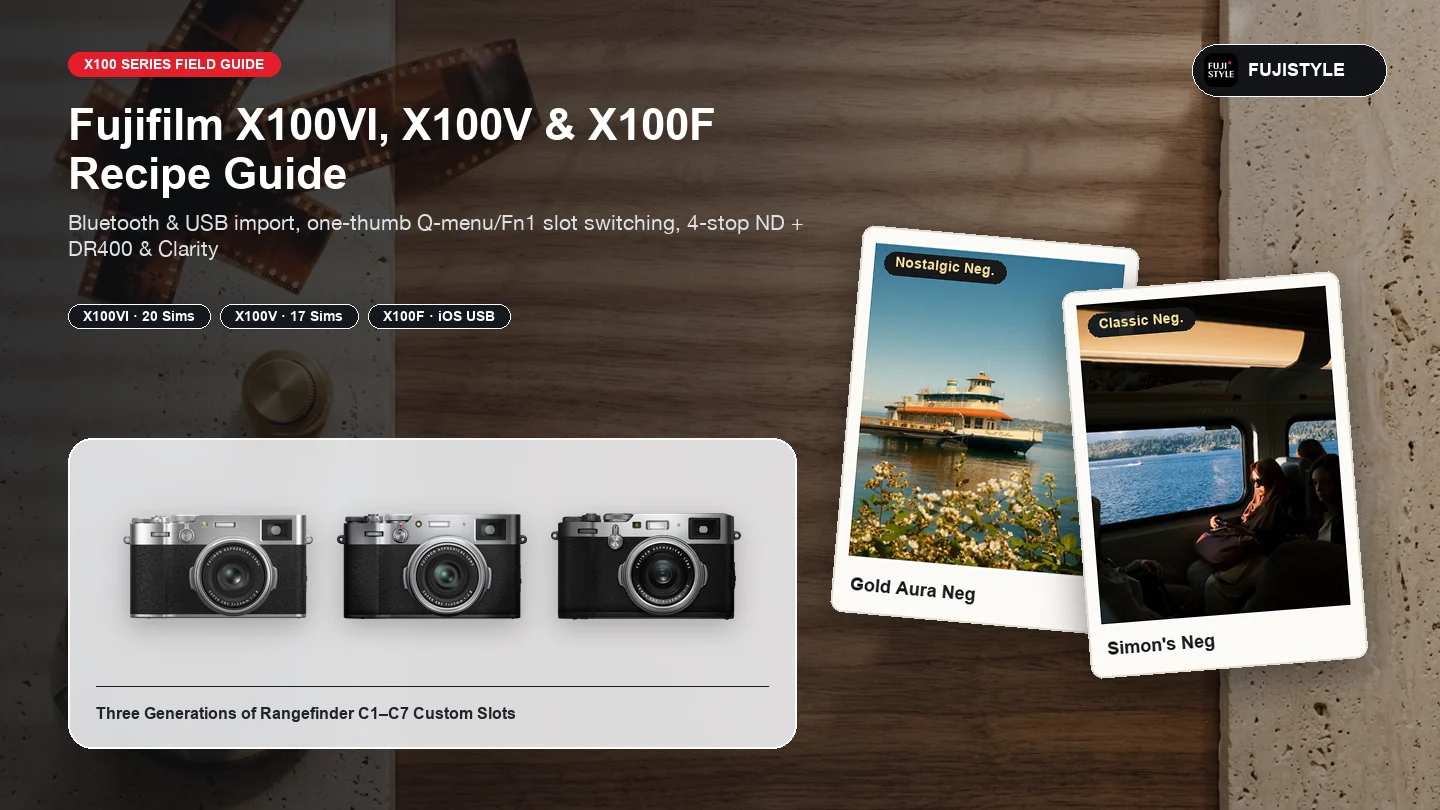
Fujifilm’s X100 series is the camera line that made straight-out-of-camera film recipes famous — and with FujiStyle, you can load community recipes straight into C1–C7 on both the X100VI and X100V wirelessly over Bluetooth (iPhone & Android) or over USB-C, plus over USB on iOS for the X100F.
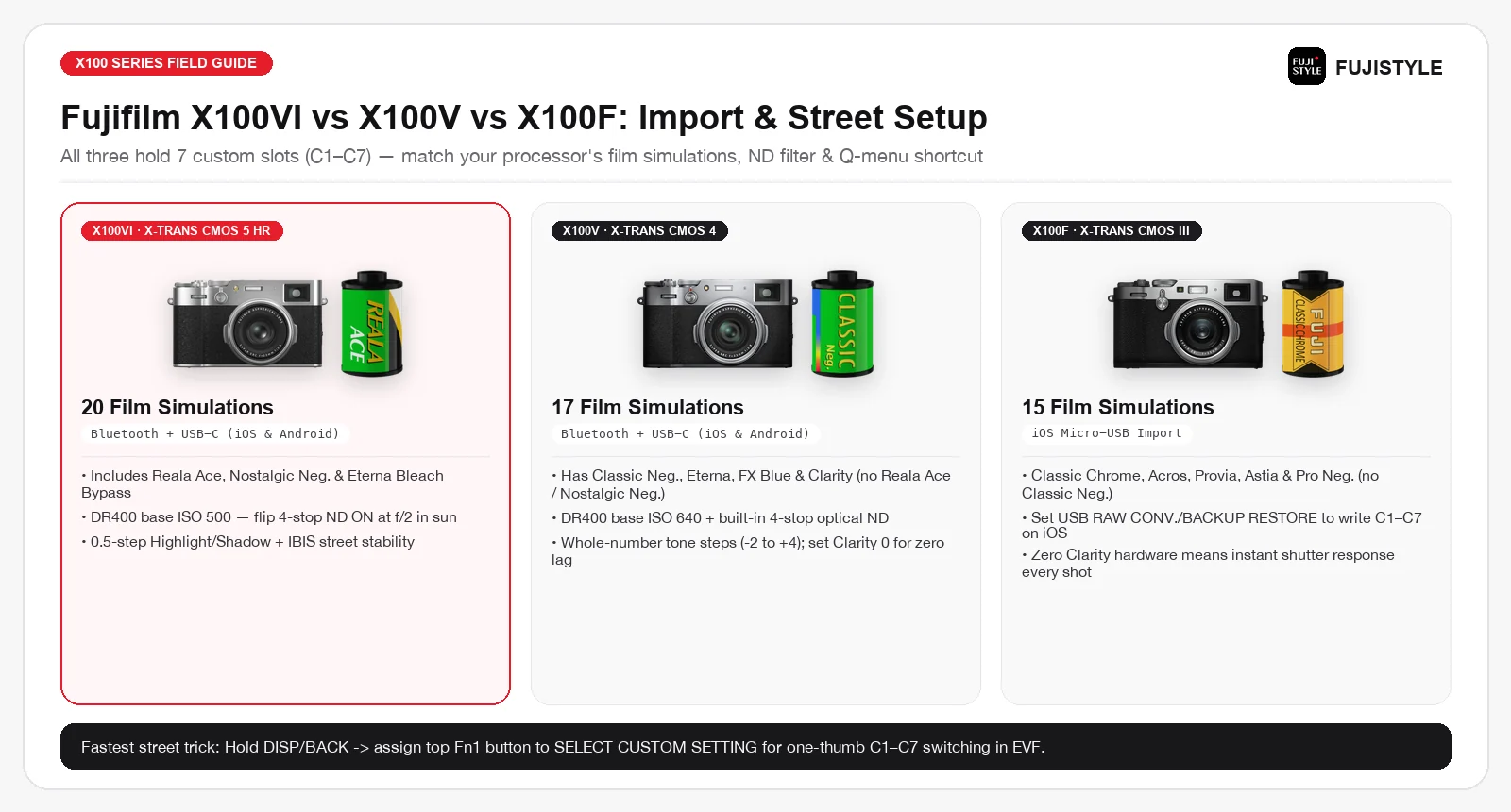 Side-by-side recipe capabilities across the Fujifilm X100VI (X-Trans V), X100V (X-Trans IV), and X100F (X-Trans III).
Because X100 rangefinders use dedicated shutter-speed and aperture dials instead of a PASM mode dial, new owners frequently hit the same three snags: importing a recipe whose film simulation the body doesn't have, wondering how to actually switch between C1–C7 on the street, and getting caught off-guard by DR400 ISO floors or Clarity lag. This guide covers compatibility, one-tap import, fast Q-menu/Fn button setup, and five X100-specific shooting tips.
X100VI vs X100V vs X100F: recipe & import compatibility
All three cameras hold seven custom settings slots (C1–C7), but their processors and film simulation menus differ significantly. Check this table before copying or importing a recipe card:
| Feature | Fujifilm X100VI | Fujifilm X100V | Fujifilm X100F |
|---|---|---|---|
| Sensor & Processor | X-Trans CMOS 5 HR · X-Processor 5 | X-Trans CMOS 4 · X-Processor 4 | X-Trans CMOS III · X-Processor Pro |
| Wireless (Bluetooth) Import | Yes (iOS & Android) | Yes (iOS & Android) | No (no Bluetooth hardware) |
| USB Cable Import | Yes (iOS & Android · USB-C) | Yes (iOS & Android · USB-C) | Yes (iOS · Micro-USB) |
| Custom Slots | C1–C7 (up to 15-char slot names) | C1–C7 (up to 15-char slot names) | C1–C7 (up to 15-char slot names) |
| Film Simulations | 20 (adds Reala Ace, Nostalgic Neg, Eterna Bleach Bypass) | 17 (includes Classic Neg, Eterna, Classic Chrome, Acros) | 15 (includes Classic Chrome & Acros; no Classic Neg or Eterna) |
| Highlight / Shadow Steps | 0.5-step increments (−2 to +4) | Whole-number steps (−2 to +4) | Whole-number steps (−2 to +4) |
| DR400 Minimum ISO | ISO 500 | ISO 640 | ISO 800 |
| Color Chrome FX Blue & Clarity | Yes | Yes | No |
For a deeper look at what survives when moving a recipe across sensor generations (such as half-step tone curves or White Priority white balance), see X-Trans IV vs X-Trans V recipes.
How to import recipes to X100VI, X100V & X100F
Wireless Bluetooth import (X100VI & X100V on iPhone and Android)
- Pair once on the camera: Switch the camera on, hold
DISP/BACKfor two seconds on the shooting screen (or go toSET UP › NETWORK/USB SETTING › Bluetooth/SMARTPHONE SETTING › PAIRING REGISTRATION), and leave it on the pairing screen. - Connect in FujiStyle: Open any compatible recipe in FujiStyle, tap Apply Recipe → Wireless, and tap your X100VI or X100V. Confirm the pairing prompt on both phone and camera (
MENU/OK) within 30 seconds. - Pick a C1–C7 slot & name it: Tap Start import, select
C1throughC7, customize the slot name (for exampleSUNNY-GOLDorPORTRA-400), and tap Import. Full pairing troubleshooting is in our Bluetooth wireless import guide.
USB cable import (X100VI, X100V & X100F)
- On X100VI and X100V (iOS & Android): Set
CONNECTION MODEtoUSB TETHER SHOOTING FIXEDorUSB RAW CONV./BACKUP RESTORE, plug in a USB-C data cable, and tap Apply Recipe → USB Cable. - On X100F (iOS): Set
USB SETTINGtoUSB RAW CONV./BACKUP RESTORE, connect via Micro-USB data cable (plus Apple’s Camera Adapter on Lightning iPhones), and tap Apply Recipe → USB Cable. Detailed cable notes are in our USB recipe import guide.
Switching C1–C7 fast on an X100 body (no mode dial needed)
Unlike the X-S20 or X-M5, X100 cameras have no C1–C4 markings on a top dial. That catches many newcomers out right after their first import: the recipe is safely stored in C1, yet the camera is still shooting its base settings. Use either of these two methods:
- One-thumb Fn button shortcut (fastest for street shooting): Hold
DISP/BACKfor two seconds to open Button/Dial Setting, pick a top button such as Fn1 (right next to the shutter button) or rear stick press, and assign it toSELECT CUSTOM SETTING. One tap pops up your named C1–C7 list in the EVF without taking your eye off the viewfinder. - Quick Menu (
Qbutton): PressQon the back right of the camera. The very first tile in the top-left corner displaysBASEorC1–C7; spin the rear command dial to switch slots immediately.
Five X100-series field tips that make recipes look right
- Use the built-in 4-stop ND filter for
DR400daylight recipes: Many beloved Classic Chrome and Classic Neg recipes specifyDR400to protect bright skies and window highlights (why Dynamic Range matters). At ISO 500 (X100VI) or ISO 640 (X100V), shooting wide open at f/2 in bright sun will hit the mechanical leaf shutter’s1/4000sceiling. Map ND Filter to a swipe or Fn button — flipping the internal 4-stop ND on lets you keep creamy f/2 depth of field ANDDR400highlight roll-off with zero screw-on glass. - Zero out
Claritywhen you need instant street burst: SettingClarityto-2or-4gives dreamy halation, but X-Processor 4 and 5 both pause ~0.5–0.8s after every exposure to compute local contrast. Keep two versions or setClarity 0on your fast street slot, and pair a black mist filter on the lens adapter if you want optical glow at full speed. - Watch X100V simulation gaps before importing X100VI cards: The X100V lacks three simulations found on the X100VI: Reala Ace, Nostalgic Neg, and Eterna Bleach Bypass (plus White Priority / Ambience Priority auto WB). Filter the recipe directory by
X100Vso every card renders 100% natively. - Pair Auto WB Shift recipes with sensible Auto ISO: On X100VI and X100V, custom slots can coexist cleanly with Auto ISO 1/2/3. Set your minimum shutter speed to
1/125s(orAutowith IBIS on the X100VI) and let ISO float up to3200or6400— Fujifilm’s Grain Effect blends naturally with high-ISO texture whenHigh ISO NRis-2to-4. - Organize C1–C7 by light rather than popularity: Instead of loading seven warm golden-hour recipes, dedicate slots to distinct lighting conditions (sunny front light, harsh backlight, overcast street, indoor tungsten, night neon, and one Acros monochrome slot) — see our C1–C7 light-based slot plan.
3 verified X100 recipes matched to each sensor generation
Open any card below in FujiStyle to write it straight into C1–C7, or enter the table values manually:
1. For X100VI (X-Trans V): Gold Aura Neg (v2) · Nostalgic Neg.
 Gold Aura Neg (v2), shared on FujiStyle by ap.vzn (1,035+ likes — built on the X100VI’s Nostalgic Neg. simulation).
| Setting | Value |
|---|---|
| Film Simulation | Nostalgic Neg. (X100VI only) |
| White Balance | Fluorescent 1 |
| WB Shift | R-4 / B-2 |
| Dynamic Range | DR400 (flip 4-stop ND ON at f/2 in bright sun) |
| Highlight | -1.5 |
| Shadow | +0.5 |
| Color | +2 |
| Sharpness | 0 |
| High ISO NR | -4 |
| Clarity | -2 (set to 0 for instant burst) |
| Grain Effect | Weak / Small |
| Color Chrome Effect | Strong |
| Color Chrome FX Blue | Weak |
2. For X100V & X100VI (Zero-Lag Street): Simon’s Negative · Classic Neg.
 Simon’s Negative by clockwise_yvr (784+ likes —
Clarity 0 means zero shutter blackout on both X100V and X100VI; on X100V, round Highlight/Shadow to 0 or +1).
| Setting | Value |
|---|---|
| Film Simulation | Classic Neg. (X100VI & X100V) |
| White Balance | Auto |
| WB Shift | R+2 / B-2 |
| Dynamic Range | DR400 |
| Highlight | +0.5 (use 0 or +1 on X100V) |
| Shadow | +0.5 (use 0 or +1 on X100V) |
| Color | +4 |
| Sharpness | 0 |
| High ISO NR | -4 |
| Clarity | 0 (instant shot-to-shot speed) |
| Grain Effect | Weak / Small |
| Color Chrome Effect | Strong |
| Color Chrome FX Blue | Strong |
3. For X100F, X100V & X100VI: Green Chrome · Classic Chrome
 Green Chrome, shared on FujiStyle by Karaka — requires neither Classic Neg. nor FX Blue, so it loads cleanly on the X100F over iOS USB as well as X100V and X100VI.
| Setting | Value |
|---|---|
| Film Simulation | Classic Chrome (All X100 bodies) |
| White Balance | Daylight |
| WB Shift | R-2 / B-8 |
| Dynamic Range | DR400 |
| Highlight | -1 |
| Shadow | +1 |
| Color | +2 |
| Sharpness | -1 |
| High ISO NR | 0 |
| Clarity | 0 |
| Grain Effect | Strong / Small (Strong on X100F) |
| Color Chrome Effect | Off |
| Color Chrome FX Blue | Off |
Frequently asked questions
Do both the Fujifilm X100VI and X100V support wireless Bluetooth recipe import?
Yes. Both the Fujifilm X100VI and X100V support wireless Bluetooth recipe import and USB-C cable import into all seven custom slots (C1–C7) in FujiStyle on iPhone and Android.
Can I import X100VI recipes onto an X100V or X100F?
Only if your camera has the base film simulation. Classic Chrome, Provia, Velvia, Astia, Pro Neg, and Acros recipes transfer across X100VI, X100V, and X100F (with generation adjustments on tone and grain). Classic Neg recipes work on X100VI and X100V, while Reala Ace, Nostalgic Neg, and Eterna Bleach Bypass recipes require the X100VI.
How do I select C1–C7 on the X100VI or X100V when there is no C dial?
Neither the X100VI nor the X100V has C1–C7 positions on a top mode dial. Press the Q button to open the Quick Menu and turn the rear command dial on the top-left Custom Setting tile, or assign SELECT CUSTOM SETTING to a physical Fn button (such as the top Fn1 button next to the shutter) for one-thumb switching.
How do I import recipes to a Fujifilm X100F without Bluetooth?
The X100F does not have Bluetooth hardware, but FujiStyle on iOS writes recipes into its seven custom slots (C1–C7) over a USB data cable. Set USB mode to USB RAW CONV./BACKUP RESTORE in the camera menu and connect with a Micro-USB data cable.
Why does my X100VI or X100V pause for a second after every shot with a recipe?
A non-zero Clarity value (anything other than 0, such as Clarity -3 or +2) triggers extra in-camera processing that adds roughly 0.5–1 second of "Storing..." pause per frame and disables continuous burst. Set Clarity to 0 if you want instant shot-to-shot response for street photography.
How do I shoot DR400 recipes in bright daylight on an X100VI or X100V?
DR400 raises the base ISO to ISO 500 on the X100VI and ISO 640 on the X100V. In midday sun at f/2, switch on the X100 series’ built-in 4-stop ND filter (or enable Electronic Shutter up to 1/32000s) so highlights do not clip. Ready to load your seven slots? Browse X100VI recipes or X100V recipes and sync them with FujiStyle.

Import to Camera
Use the FujiStyle App to apply recipes to your Fujifilm camera.